



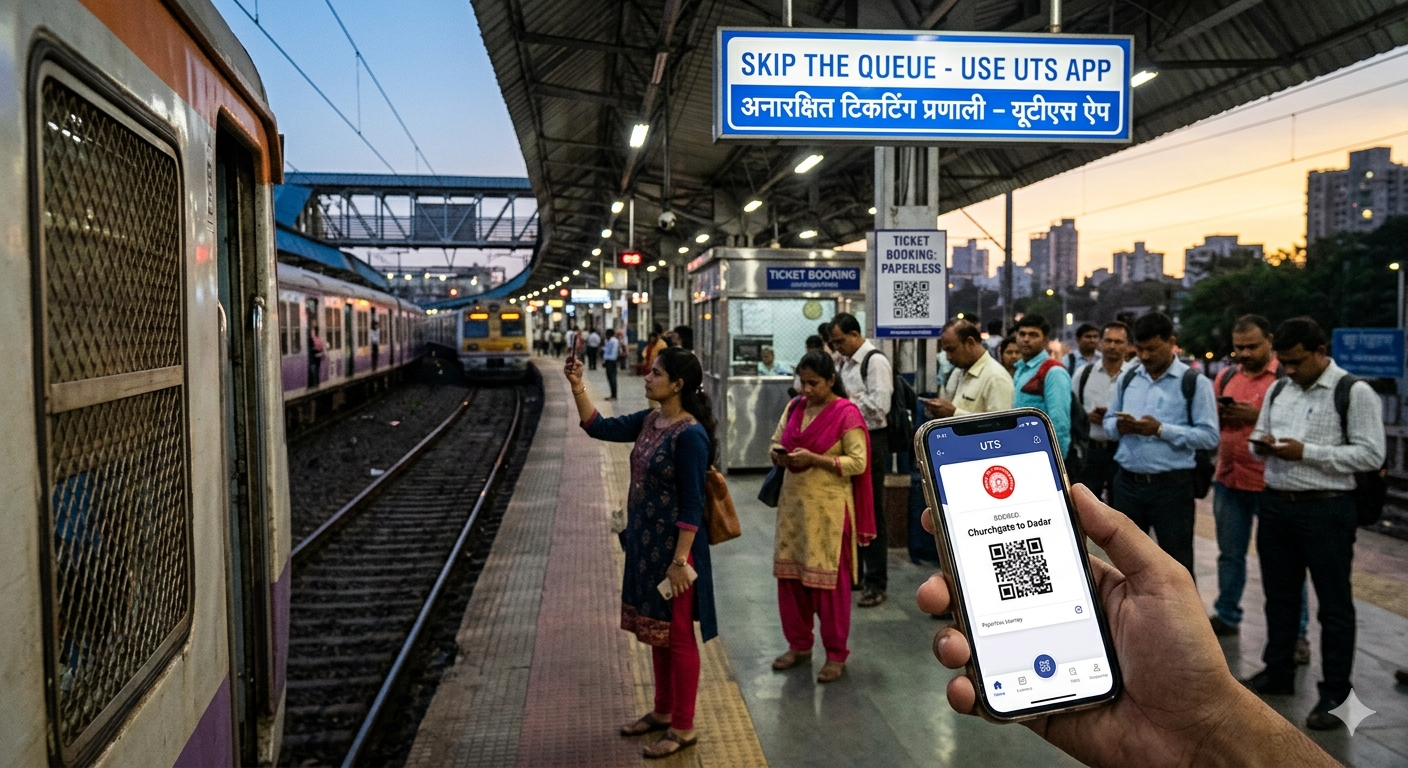
The uts app is a special tool made by Indian Railways. It helps you book train tickets using your phone. In the past, you had to stand in long lines at the station. Now, you can skip those lines! This app is perfect for people who travel every day. It is used for “unreserved” tickets. These are the general tickets for local or express trains.
Using the uts app saves a lot of time. You don’t need to carry paper if you choose the paperless option. This is great for the environment too. The app is very safe and official. Millions of people use it to get to work or school. If you want a stress-free journey, this app is your best friend.
How to Get Started with the UTS App
First, you need to download the uts app from the Play Store or App Store. It is free for everyone. Once you open it, you must register. You will need to give your mobile number, name, and a password. The app will send you an OTP to check your number.
After you sign up, you get a “Railway Wallet” or R-Wallet. This is where you keep your digital money for tickets. It is very easy to use. Even a child can understand the buttons. The design is simple so you don’t get confused. Once you are logged in, you are ready to explore the world of digital ticketing.
Understanding the R-Wallet for Easy Payments
The R-Wallet is the heart of the uts app. It is a digital purse. You can put money into it using UPI, debit cards, or net banking. The best part is that Indian Railways often gives a small bonus when you add money! For example, if you add 100 rupees, you might get a little extra to spend.
To book a ticket, the uts app takes money from this wallet. It is much faster than typing your card details every time. You just click “Book” and it is done in a second. You can check your balance anytime in the app. If you ever stop using the app, you can even ask for your money back at a station counter.
Paperless vs. Paper Tickets: Which is Better?
The uts app gives you two choices. You can book a “Paperless” ticket or a “Paper” ticket. Most people love the paperless version. For this, your phone must have GPS turned on. You must be at least 15 meters away from the tracks to book it. This is a rule to stop people from booking only when they see a ticket checker!
If you choose a paper ticket on the uts app, you get a booking ID. You must go to a machine at the station called an ATVM. You type your ID, and the machine prints your ticket. This is good if your phone battery is low. But for most daily trips, the paperless way is the fastest and most popular choice.
Step-by-Step Guide to Booking Your First Ticket
Booking a ticket on the uts app is like a game. First, click on “Normal Booking.” Then, choose “Book and Travel (Paperless).” You then pick the station you are at and where you want to go. The app will show you the fare.
Next, click on “Get Fare.” If you have enough money in your R-Wallet, just click “Book Ticket.” The uts app will show your ticket on the screen. You don’t need internet to show this ticket to the staff later! It stays saved in your “Show Ticket” section. It is very clever and works even in tunnels or basement stations.
Booking Platform Tickets in a Snap
Sometimes you only go to the station to see a friend off. You still need a ticket for that! The uts app makes this very easy. You don’t have to wait in the long general line just for a platform ticket. Just select the “Platform Ticket” option in the menu.
Make sure you are near the station but not on the platform yet. The uts app uses your location to make sure you are in the right spot. It costs very little and stays valid for two hours. It is the smartest way to enter the station legally without any headache.
How to Renew Your Season Ticket (Monthly Pass)
If you travel to work every day, a Season Ticket is the best choice. It is much cheaper than buying a ticket every morning. You can buy or renew your “Monthly Pass” on the uts app. You don’t even need to be near the station to renew a paperless season ticket!
The uts app keeps your pass safe. You can choose a 1-month, 3-month, or even a 1-year pass. When the TTE comes to check, just open the “Show Ticket” part of the app. It is very convenient and you never have to worry about losing a small piece of paper ever again.
Important Rules You Must Know
There are some simple rules for the uts app. First, you cannot book a ticket once you are already on the train. You must book it before you get on. Second, you cannot take a screenshot of the ticket to show the checker. You must show the actual ticket inside the app.
Also, make sure your phone has enough battery. If your phone dies and you cannot show the ticket on the uts app, the railway staff might fine you. It is also important to remember that paperless tickets cannot be cancelled. So, only book when you are 100% sure you are traveling.
Useful Features in the UTS App
| Feature | What it Does | Best For |
| Quick Booking | Saves your favorite routes. | Daily Commuters |
| Show Ticket | Shows your ticket without internet. | Checking Situations |
| R-Wallet | Stores money for fast payment. | Skipping UPI steps |
| QR Booking | Scan a code at the station to book. | Busy Stations |
| Booking History | Shows all your past trips. | Keeping Records |
Common Problems and How to Fix Them
Sometimes the uts app might act a bit slow. If it says “GPS not found,” try standing in an open area. The app needs to know where you are for safety. If your payment fails but money is taken, don’t worry. The money usually comes back to your wallet or bank in a few days.
Another common issue is forgetting the password. You can easily reset it using your mobile number. The uts app is built to be helpful. If you have a big problem, every station has a help desk that knows how the app works. They are always happy to help a digital traveler.
Frequently Asked Questions
1. Can I book a ticket for my friend on the UTS app?
Yes, you can select the number of passengers (up to 4) when booking a journey ticket. You all must travel together.
2. Is the UTS app available in Hindi?
Yes, the app supports multiple languages to help everyone across India use it easily.
3. What if I lose my phone with a Season Ticket?
You can log into the uts app on a new phone. You will need to send a request to change your handset through the app settings.
4. Can I book long-distance Express tickets?
The uts app is only for unreserved (General) tickets. For reserved seats or sleepers, you still need the IRCTC app.
5. Do I need an internet connection to show my ticket?
No! Once the ticket is booked on the uts app, you can show it to the TTE using the “Show Ticket” button without any data.
6. Can I cancel a paperless ticket?
No, paperless tickets cannot be cancelled. Only paper tickets (before printing) can be cancelled for a small fee.
Conclusion
The uts app is changing how India travels. No more sweating in lines or missing trains because of a slow counter. It is fast, simple, and very reliable. By using the uts app, you are making your life easier and helping the railways become more modern.
Download the app today and add some money to your R-Wallet. Try booking a platform ticket first to see how it works. You will love how much time you save! If you found this guide helpful, share it with your friends who travel by train. Happy journey!